


Photo Dance: AI Photo to Video
4.028.00 Reviews
App Specs
- Version
- 1.1.3
- Updated On
- License
- Free
- Downloads
- 50,000+
- Developer
- AI Design Labs
- Categories
- Photography
- Platform
- Android
Screenshots
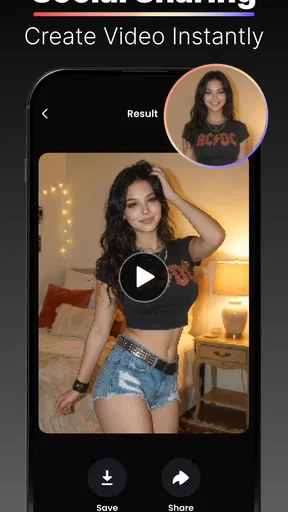
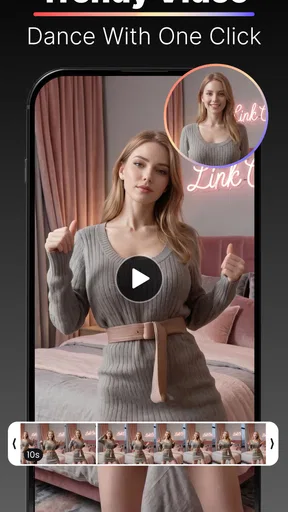
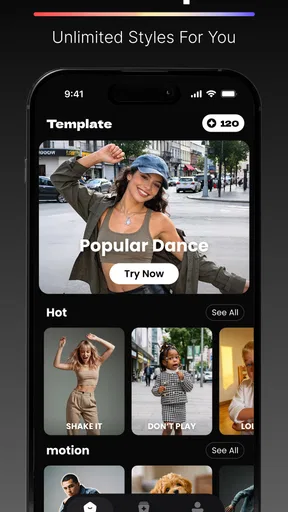
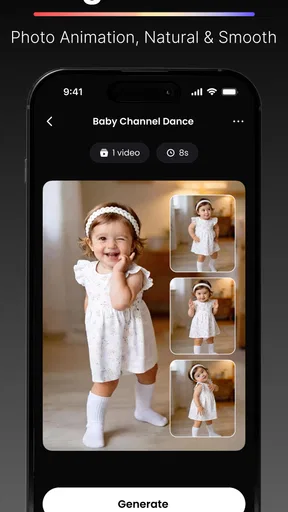
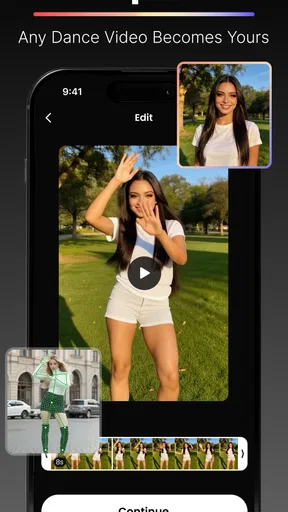
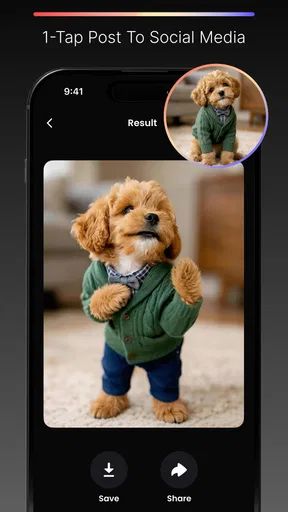
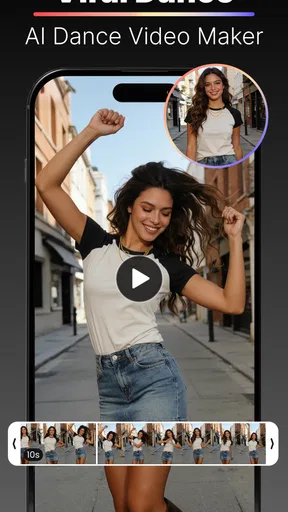
 Analysis by AppCompare
I tried Photo Dance: AI Photo to Video as a lighthearted photography app, and its appeal is easy to understand: it takes a still image and turns it into a short AI-generated dance or face-dance clip. That simple idea makes it more playful than a standard photo editor, especially when the goal is to surprise friends rather than produce a polished professional video.
The app comes from AI Design Labs and is free to install, with optional purchases ranging from $4.99 to $99.99 per item. It is listed for mature users aged 17 and over, runs on Android 7.0 or later, and its current version is 1.1.3. I would treat it as a quick creative tool for social sharing, not as a replacement for a full video editor or a serious animation package.
What the photo-to-dance experience feels like
The central workflow is deliberately approachable. You begin with a photo, choose the kind of humorous movement you want, and wait for the app to transform the image into a clip. The fun comes from the contrast between an ordinary portrait and the exaggerated result. A friend standing still in a group photo can suddenly become the focus of a silly dance, while a close-up face can work better for a reaction-style animation.
That distinction matters. Not every image is equally suitable for this kind of generation. A clear, front-facing portrait gives the system more useful visual information than a dark picture, a heavily angled face, or a photo where several people overlap. I found that choosing the source image carefully is more important than endlessly changing the creative option afterward.
The app belongs in the photography category, but its finished results are closer to short-form entertainment than traditional photography. It is best understood as a bridge between a photo editor and a meme-making tool. You are not correcting exposure, removing objects, or building a carefully timed montage. You are giving a static image a deliberately comic sense of motion.
That focus keeps the experience easy to grasp, although it also creates a clear limitation. If you want control over individual frames, camera movement, sound design, captions, or exact timing, a conventional mobile video editor will offer more control. Photo Dance is more interesting when you value speed and surprise over precision.
Why the network connection becomes part of the experience
The most noticeable friction appears during generation. An AI transformation is not the same as applying a simple filter instantly on the phone, so the waiting stage becomes part of the workflow. When the connection is stable, the process feels straightforward: select an image, start the creation, and move on once the result is ready. When the connection is weak, the same idea feels much less spontaneous.
Worth Reading Before You Choose

Flipboard Shows What News Apps Must Do Beyond the Feed

Switching to Android Auto Means Rethinking Your Driving Routine

Google Calendar Makes a Crowded Week Easier to Manage

Ludo King Makes the Most of the Minutes Between Plans

Baby Panda World Brings Quick Play to Modern Phones, but Its Game Library Feels Busy

ESPN’s Live Game View Makes Following Close Games Easier
This affects how I would use it in everyday life. At home or on dependable Wi-Fi, I could treat the app as a small creative break. On a train, in a crowded venue, or while switching between mobile networks, I would avoid starting a generation immediately before I needed to show someone the result. The app is more enjoyable when I have enough time for a failed attempt or a second try.
That is an important difference from ordinary camera filters. A conventional filter usually gives instant feedback because the phone can preview the effect locally. Here, the creative payoff is tied more closely to the quality of the connection and the time available for processing. I would not call that a flaw unique to this app, but it changes the best use cases.
For a birthday gathering, I would prepare a few suitable photos before the moment becomes busy. For a spontaneous joke, I would keep expectations modest. The application works best when the user sees the generation as part of the entertainment rather than as a guaranteed instant result.
Using it on a phone without making the process awkward
Photo Dance is naturally suited to mobile use because the photos people want to animate are usually already on their phones. That removes the need to move images to a computer first. I can imagine using it after taking a group picture, choosing the clearest face, and creating a playful clip while everyone is still together.
Still, mobile convenience does not mean every situation is equally comfortable. Picking the right image in a large gallery can take longer than expected, especially when several similar portraits are available. I recommend deciding first what the joke is supposed to be, then selecting a photo that supports it. A clean single-person image is usually a safer starting point than a busy group scene.
A practical workflow is to keep the original photo untouched, make one experimental animation, and judge the result before trying more variations. This avoids wasting time on unsuitable images and gives you a clear comparison point. If the first result looks strange, changing the source image may help more than repeating the same request with a slightly different choice.
The app also makes sense for users who do not want to learn a complicated editor. Someone who is comfortable choosing a photo but not with timelines and keyframes can understand the basic appeal quickly. That accessibility is one of its strongest qualities. The trade-off is that the user gives up the detailed control that experienced creators often expect.
I would be more cautious about using it with photos taken in poor lighting or with faces partly hidden by sunglasses, hands, hair, or other objects. Those images may still be amusing, but the result is more unpredictable. The best approach is to treat visual clarity as a creative ingredient, not merely a technical requirement.
What to do when a generation does not go well
AI-generated motion can produce results that are funny for the wrong reason. A face may look unnatural, a pose may not match the original photograph, or the movement may fail to capture the personality you had in mind. For me, that is part of the app’s character, but it can also be frustrating if I am trying to create something specific for another person.
My first recovery step would be to simplify the input. I would choose a brighter photo, reduce the number of visible people, and use a face that is clearly visible. If the source is already good, I would try a different creative direction rather than repeatedly sending the same image. This is a useful distinction: sometimes the problem is the photograph, while other times the chosen animation simply does not suit it.
I would also avoid treating the first output as final. The app is more enjoyable when I allow room for experimentation. A strange result can be entertaining in a private chat, but it may not be suitable for a public post or a message involving someone who did not expect their image to be altered. Reviewing the clip before sharing is a small step that prevents awkward moments.
Connectivity failures require a different kind of patience. If a request stalls, I would first check whether the phone has a reliable connection before repeatedly tapping the generation control. Retrying immediately on an unstable network can make the process feel more confusing and may encourage unnecessary repeated attempts. A short pause, followed by one deliberate retry, is a better habit.
I also recommend keeping expectations realistic when using a particularly old phone. The minimum operating-system requirement is Android 7.0, which makes the app accessible to a wide range of devices, but compatibility with an operating system does not guarantee the same smoothness on every handset. Screen size, available storage, camera quality, and general device condition can all affect how comfortable the overall experience feels.
Using personal photos thoughtfully
Because the app works with portraits and personal images, I would use a little more care than I would with a generic color filter. A funny face-dance clip can be harmless when it features a willing friend, but the same transformation can feel uncomfortable if shared without permission. The mature age classification is a useful reminder that this is not an app I would hand to a young child without supervision.
My own rule would be simple: use your photos first, and ask before turning somebody else’s face into entertainment. That is especially important with coworkers, strangers in the background, or images taken in situations where the people involved expected a normal photograph rather than an altered video.
Network-conscious use is also worth considering. Since the experience depends on sending a request through an internet-connected workflow, I would avoid creating clips over mobile data when the connection is expensive or limited. Wi-Fi is the more sensible choice for experimenting, particularly if I plan to try several images. This is not about making the app difficult to use; it is about matching the workflow to the user’s data plan and patience.
I would also avoid selecting a whole gallery of near-identical images just to see which one works. Choosing two or three purposeful candidates is more efficient and reduces unnecessary uploads or processing attempts. The best source is usually the one with a clear subject, uncomplicated background, and an expression that already suits a playful transformation.
Another useful habit is to separate creation from sharing. I would generate the clip, watch it privately, and only then decide whether it belongs in a group chat or on a social platform. That extra review is valuable because the humor of an unexpected animation can be very personal. What makes one friend laugh may make another feel misrepresented.
Who will enjoy it, and who should choose another tool?
I think Photo Dance is a good match for casual creators, meme fans, and people who want to make a quick visual joke from a familiar portrait. It is especially appealing when the audience already knows the person in the image. The transformation becomes funnier when viewers can compare the calm original photo with the exaggerated animated result.
It could also work for small social occasions. Imagine taking a group picture at a dinner, selecting one willing participant, and creating a playful clip to send later. The process gives an ordinary photo a second life without requiring editing skills. For a family chat or a close group of friends, that can be enough reason to keep the app installed.
I would skip it if my main goal were professional content, accurate motion design, or reliable control over a brand’s visual style. A dedicated editor is better for trimming clips, arranging multiple scenes, adding precise text, and maintaining consistency across a campaign. Likewise, someone who dislikes unpredictable AI results may find the central appeal more irritating than entertaining.
It is also not the ideal choice for preserving a meaningful memory in a respectful way. A normal slideshow or carefully edited video would be more appropriate for weddings, memorials, travel documentation, or any project where the original mood matters more than comedy. Photo Dance is strongest when the image can tolerate a little absurdity.
The app has attracted an average rating of 4.0 from around 695 ratings, with over 28 written reviews and more than 50 thousand installs. Those figures suggest a modest but real audience rather than a tool that has become a universal standard. I read that as a reason to approach it with curiosity, not as proof that every user will get the same quality from every image.
Free access, optional spending, and the value question
The free price makes it easy to test the basic idea before deciding whether it deserves regular use. That matters here because the app’s value depends heavily on how often you actually want to make these clips. If you only need one funny transformation for a conversation, trying the free experience may be enough.
The optional purchases, priced from $4.99 to $99.99 per item, create a much bigger decision for frequent users. I would not spend at the upper end simply because I enjoyed one successful result. I would first establish whether the app fits my routine, whether the available creative choices remain interesting, and whether I am comfortable with the way I use personal photos in the workflow.
My advice is to think in terms of occasions rather than unlimited experimentation. If you use the app for a particular party, message, or small project, set a clear stopping point. That keeps a playful photography tool from turning into an open-ended source of impulse purchases. The free entry point is a strength, but the range of optional spending means users should pay attention before confirming anything.
The current release, version 1.1.3, shows that the app is still a relatively focused product rather than a mature all-purpose editing suite. I would keep expectations centered on its photo-to-dance purpose. If future updates add more control or smoother recovery from connection problems, that could make it more useful for repeat creators, but I would judge the app today by the simple transformation it already offers.
My connectivity verdict
Photo Dance: AI Photo to Video is most enjoyable when I have a stable connection, a suitable portrait, and a few minutes to experiment. That combination turns the app into a quick source of visual humor. It is less convincing when I need instant results in a crowded or poorly connected place, or when I want exact control over how a person moves.
The network element does not ruin the concept, but it shapes when I would open the app. I would use it at home, during a relaxed social visit, or after an event when I can review the output before sharing. I would not rely on it for a time-sensitive presentation, an important announcement, or any situation where a failed generation would leave me without a finished result.
My final recommendation is fairly specific: install it if you enjoy turning familiar portraits into playful clips and are comfortable treating the results as experiments. Start with clear, consented images, use a dependable connection, and judge the output before sending it anywhere. If you want a controlled editor, a documentary-style result, or a tool that behaves like an instant offline filter, another photography app will suit you better.
For the right person, though, the simplicity is the point. AI Design Labs has made a narrow idea easy to try: take a still photo, give it unexpected motion, and share the laugh. I would keep Photo Dance: AI Photo to Video as an occasional creative tool rather than a daily editor, because its best moments come from choosing the right image and accepting a little unpredictability.
Pros
- Turns still photos into lively dance videos with minimal effort.
- Offers entertaining AI effects suitable for social media posts.
- Simple interface makes the main creation tools easy to find.
- Short processing time for many basic photo animations.
- Provides a fun way to experiment with portraits and group photos.
Cons
- Results can look unnatural when faces are partially covered or poorly lit.
- Some effects may require a subscription or in-app purchases.
- Export quality and available formats may vary by effect.
- AI processing may raise privacy concerns when uploading personal photos.
- The app can become repetitive after trying its main dance templates.
FAQs for Photo Dance: AI Photo to Video
What is Photo Dance: AI Photo to Video, and how does it work?
Photo Dance: AI Photo to Video is an entertainment app that uses artificial intelligence to animate still images and turn them into short dancing or moving videos. After selecting a photo, the app generally analyzes the person’s face and body position, then applies motion effects based on available templates or dance styles. Results can vary depending on image quality, pose, lighting, and the selected effect.
Can I use any photo with Photo Dance: AI Photo to Video?
You can usually upload portraits, full-body images, and other suitable pictures, but the best results come from clear photos with a visible subject, good lighting, and minimal obstruction. Images with multiple people, extreme angles, sunglasses, cropped bodies, poor resolution, or busy backgrounds may produce less accurate animations. It is also important to use photos you own or have permission to edit.
Is Photo Dance: AI Photo to Video free to download and use?
The application may be available to download at no initial cost, but some features, templates, export options, or processing tools can require in-app purchases or a subscription. Free users may also encounter advertisements or limitations on video quality and usage frequency. Before creating multiple videos, check the current pricing, trial conditions, renewal terms, and cancellation instructions shown in the app store.
Are the photos and generated videos safe and private?
Because the app uses AI processing, selected photos may need to be uploaded to remote servers rather than processed entirely on your device. Before using personal or sensitive images, review the app’s privacy policy and permissions to understand how files are stored, processed, shared, and deleted. Avoid uploading images containing confidential information, and only use photos of other people with their consent.
Can I save or share the videos created with Photo Dance: AI Photo to Video?
Generated animations are typically designed to be saved to your device or shared through social networks and messaging applications, although export quality, watermark removal, duration, and available formats may depend on the selected plan. Processing can also take longer for high-resolution images or during busy periods. Review the final video before publishing, especially when using someone else’s likeness or sharing content publicly.


